
In short
Watch in the browser at candy.ai. On iPhone use Share, then Add to Home Screen; on Android use the browser menu, then Add to Home screen. You get an icon that opens Candy AI full-screen. Downloads are not offered.
Why there is no store app
App stores restrict explicit content, so adult services like Candy AI usually run in the browser instead. The website works on any modern phone, tablet or computer.
Adding Candy AI to your home screen
- iPhone (Safari): open candy.ai, tap Share, then Add to Home Screen.
- Android (Chrome): open candy.ai, tap the three-dot menu, then Add to Home screen or Install.
- Desktop: a bookmark is enough; the vertical player sits in the middle of the window.
The vertical player
Parts are filmed in portrait. Hold the phone upright for a full-screen picture; landscape and desktop screens show the video as a tall column.
Subtitles are available in English, French, German, Spanish, Italian, Portuguese and Japanese, from the player controls.
Downloads
Candy AI streams parts and does not offer files. Apps or sites claiming to download Candy Shorts are not official and often carry malware; see our leaked copies page.
Series with preview clips
Some series have short preview clips on the Candy Shorts page. We show them on our list; on a phone they play as you scroll past.
 OpenNewYES MA'AM35 parts · 12 tk locked
 OpenNewI Couldn't Say No to Our Babysitter5 parts · 12 tk locked
 OpenMy Step-Sister's Dormitory5 parts · 30 tk locked · Riley Reid
 OpenMy Young Stepmom Needs a Date5 parts · 12 tk locked
 OpenStudent Bodies5 parts · 30 tk locked · Bonnie Blue
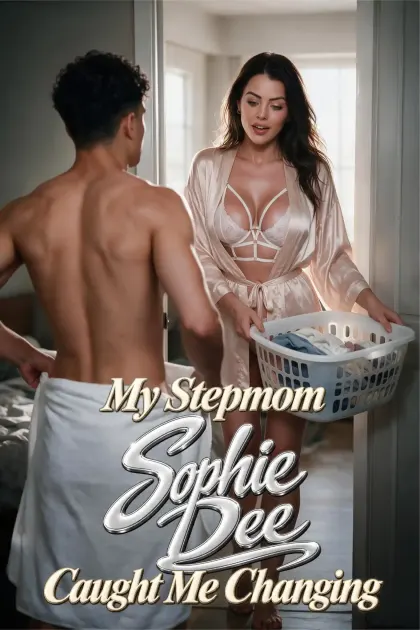 OpenNewMy Stepmom Sophie Dee Caught Me Changing5 parts · 30 tk locked · Sophie Dee
 OpenNewMy Girlfriend’s Sister Kept Me After Class5 parts · 12 tk locked
 SpicyNewWife's Step Sister5 parts · 30 tk locked
 OpenNewChristmas With My Girlfriend's Stepsister5 parts · 12 tk locked
 OpenNewMy Best Friend's Mom Teaches Pilates5 parts · 12 tk locked
 OpenNewMy Stepsister's Slumber Party5 parts · 12 tk locked
 OpenNewKiss the Bride, Stepbro5 parts · 12 tk locked
Data use and quality
Parts are short and streamed at phone resolution, so a series of five parts uses a modest amount of mobile data. On a slow connection the player may take a moment to start; on Wi-Fi it is instant.
Because everything runs in the browser, the same login works on every device, so you can start a series on the phone and continue on a computer.
Watching discreetly
Because Candy Shorts run in the browser, a private or incognito window keeps them out of your history. The home-screen icon is labelled with the site name, which you can rename on most phones. Card statements show EverAI rather than the name of the series.
Headphones are worth it: parts have dialogue and the subtitles, available in seven languages, can be turned on if you watch with the sound off.
More questions answered
Good first picks from both shelves
Six Spicy and six open titles among the ones people search for most. Each one has its own page with the part list and the exact number of tokens the locked part asks for.
 SpicyNewTori's broken vows10 parts · 30 tk lockedTori's Broken Vows, which many people type as Tori's Dirty Vows, is the longest wedding-day cheating story on the Spicy…
 SpicyNewGood Boy For Stepmom5 parts · 30 tk lockedGood Boy For Stepmom, which plenty of people look up as Good Boy For Your Stepmom, is a compact Spicy…
 SpicyNewMy Girlfriend's Stepsister5 parts · 30 tk lockedMy Girlfriend's Stepsister is a Spicy short built on one bad decision. Candy AI sums it up in a sentence,…
 SpicyNewBella, my step-daughter5 parts · 30 tk lockedBella, my step-daughter is among the Spicy shorts people search for most, and the premise explains why: a wife away,…
 SpicyProfessor Mia5 parts · 50 tk locked · Mia MalkovaProfessor Mia is the Spicy series with the licensed Mia Malkova double, and the one people mean when they search…
 SpicyBlackout At My Yacht Party10 parts · 50 tk locked · Riley ReidBlackout At My Yacht Party, also searched as "Riley Reid: Blackout At My Yacht Party", is the longest Spicy series…
 OpenCouples Therapy With Margot Vey5 parts · 12 tk lockedCouples Therapy With Margot Vey is the most searched Candy Shorts title of the moment, in English and in translation…
- OpenMy Step-Sister's Dormitory5 parts · 30 tk locked · Riley ReidMy Step-Sister's Dormitory is the open-shelf Riley Reid series with the most search clicks, and one of the few with…
 OpenMy One-Night Stand Is My Girlfriend's Mom5 parts · 30 tk locked · Asa AkiraMy One-Night Stand Is My Girlfriend's Mom is the open-shelf series with the Asa Akira double and one of the…
 OpenEvery Wife on Candy Lane5 parts · 12 tk lockedEvery Wife on Candy Lane, which also turns up as "Harriet Seagrave: Candy Lane Rounds", is an open-shelf anthology-style short:…
 OpenNot Under My Roof5 parts · 12 tk lockedNot Under My Roof is an open-shelf series that much of the network has ignored despite its search volume: over…
 OpenUnder the Boss5 parts · 12 tk lockedUnder the Boss is an office drama on the open shelf, high in network searches but missing from most review…
Asked and answered
Is there a Candy Shorts app on the App Store or Google Play?
No. Candy Shorts run in the browser at candy.ai.
Can I download Candy Shorts videos?
No. Parts stream online only.
Does the home-screen shortcut work offline?
No, it opens the website, so you need a connection.